Photo tips for the best engraving
Follow these guidelines to get a crisp, readable result on a pendant.
What photos work best
- ✓Single subject — one person or pet is ideal.
- ✓Good light — soft daylight, avoid harsh shadows.
- ✓High quality — sharp focus, no heavy compression.
- ✓Framing — head-and-shoulders or profile view.
- ✓Background — simple or blurred works best.
- ✓Contrast — moderate to high contrast helps details pop.
Examples (photo → result)
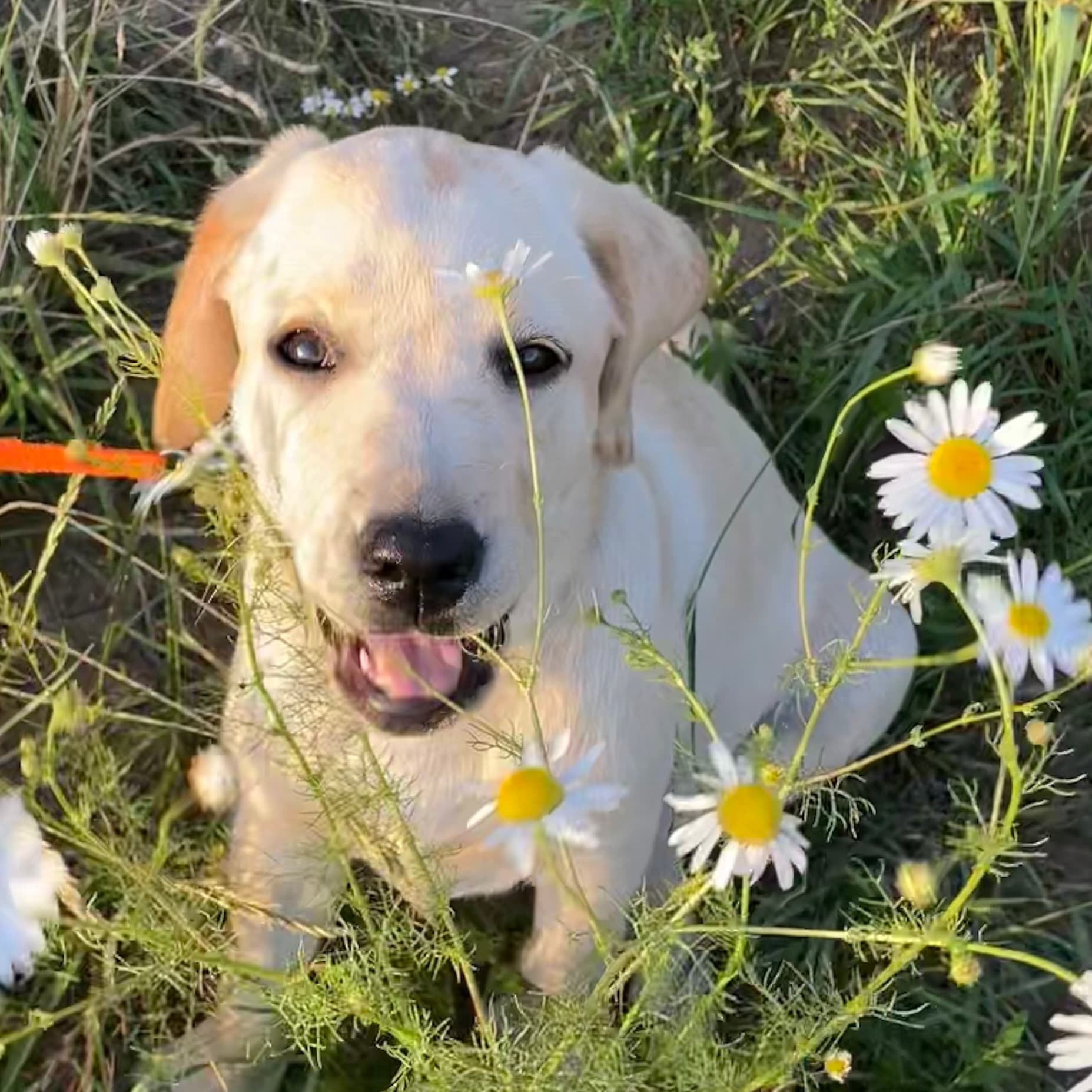
Photo
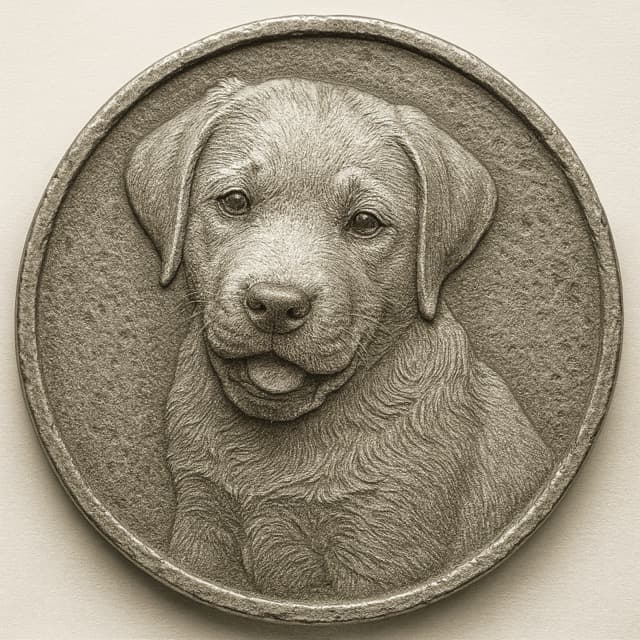
Result
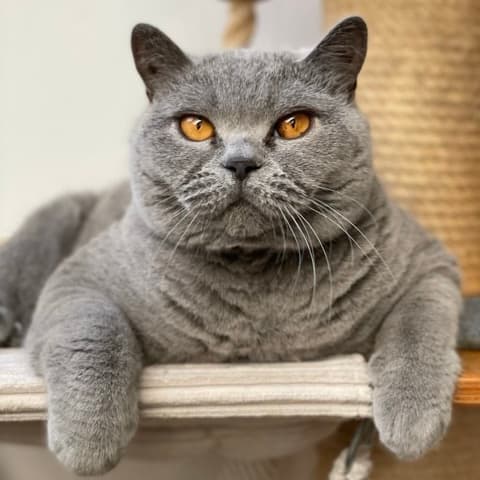
Photo
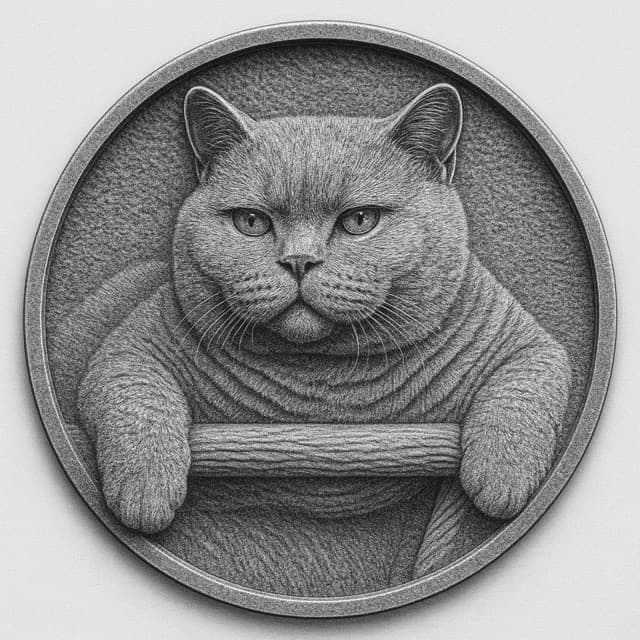
Result
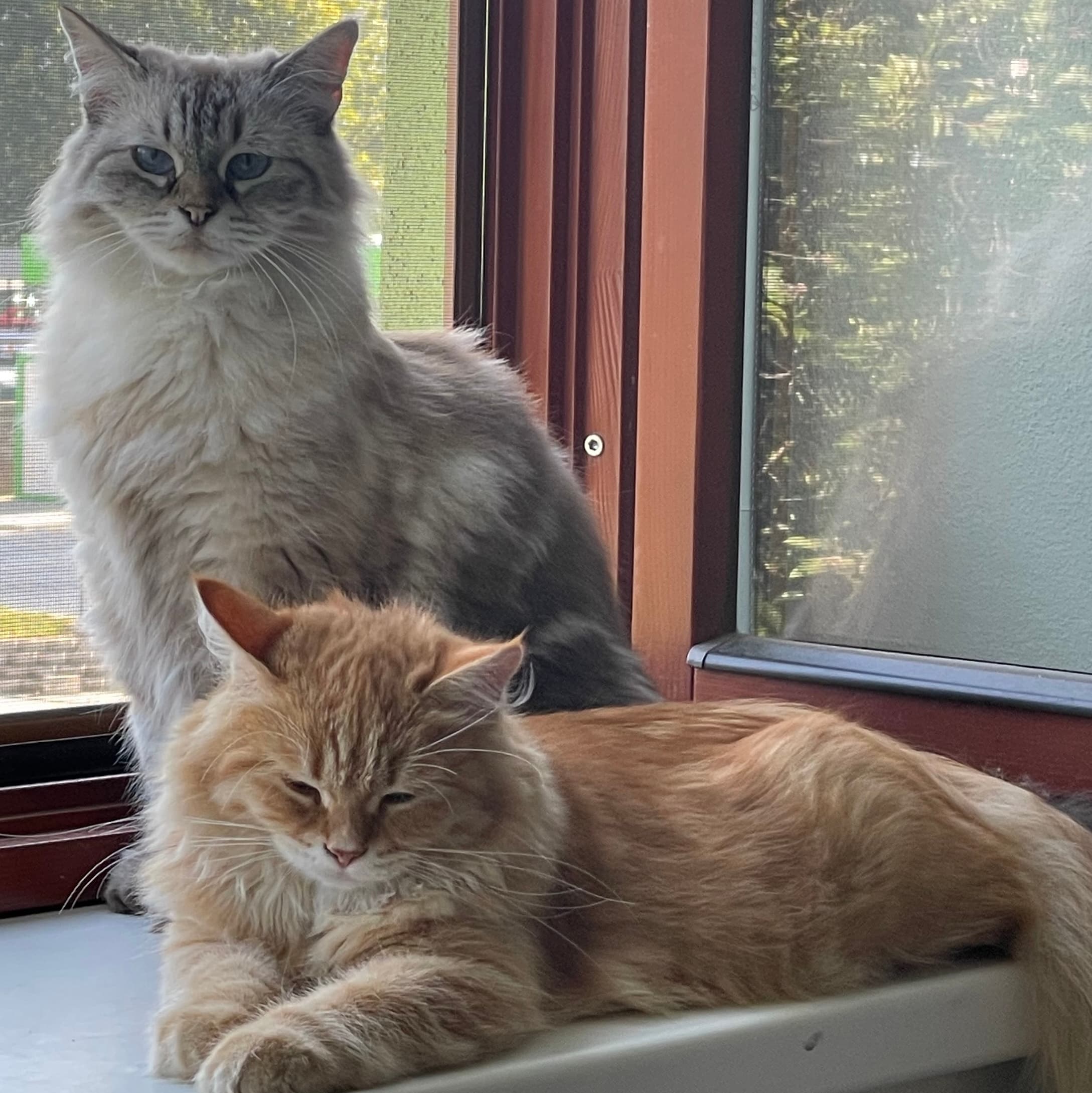
Photo
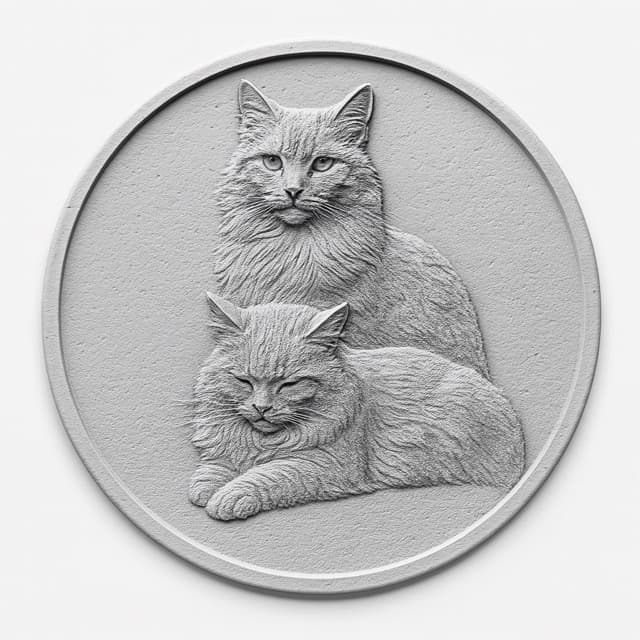
Result
How to position in the editor
- Upload you photo with the photo upload button or drag and drop it.
- Drag to center the subject in the golden circle — this shows the pendant edge.
- Leave a small safety margin (≈ 5–8%) so nothing is cut off.
- Zoom with +/− buttons for fine framing; use Reset if needed.
- Eyes around center give a natural look for portraits.
- For pets, keep ears and nose fully inside the ring.
- Choose the size and material of the pendant.
File & quality recommendations
Formats: JPG or PNG. Preview can be standard resolution; we optimize the final engraving. Minimum 1200 px on the shortest side recommended. Avoid strong filters or extreme HDR.
What to expect
Your photo becomes a shallow relief (lithophane). Busy backgrounds are simplified to keep the subject readable.